Research
The Research intent puts a turn on strong models and sends it out to the web, returning an answer whose claims you can click through to sources.
Research is the intent for questions where being right matters more than being quick. It pushes the turn onto the strongest models your plan allows and expects the answer to be built from sources you can check, not from what the model already believes.
Arming it
- Click Auto ▾ in the composer.
- Under For this message, choose Research.
- Ask your question and send.
/research at the start of a message does the same thing. Like every intent, it applies to that one
message and is cleared by sending.
Research needs a paid plan — Starter, Pro or Max. On Free the row shows a padlock and clicking it opens the upgrade dialog rather than arming the intent. Pro and Max additionally get the thorough research path; Starter gets the fast one.
What it actually changes
Two things, and it is worth being precise about them:
- It biases the whole turn toward quality. Every step that would otherwise run on a cheap model can now run on a strong one, and the run is allowed to retry a step it is not happy with.
- It loads a research method. The turn is told how to work — go wide before going deep, read the primary source rather than the summary of it, say when the evidence is thin.
It does not add tools that are otherwise unavailable. Auto can already search the web, read a URL, crawl a site, search for images and digest what it found. Research changes the posture, not the inventory.
Heads up: Research is the one intent that meaningfully raises what a turn costs. The others change craft guidance; this one changes which models run. Use it deliberately rather than leaving it as your habit.
What the output looks like
You get a written answer with numbered citation chips in the prose. Click one and it takes you to the source it came from. The same turn can mix sources: web pages, your own documents, and your meetings each get their own citation style, so you can see at a glance where a claim came from.
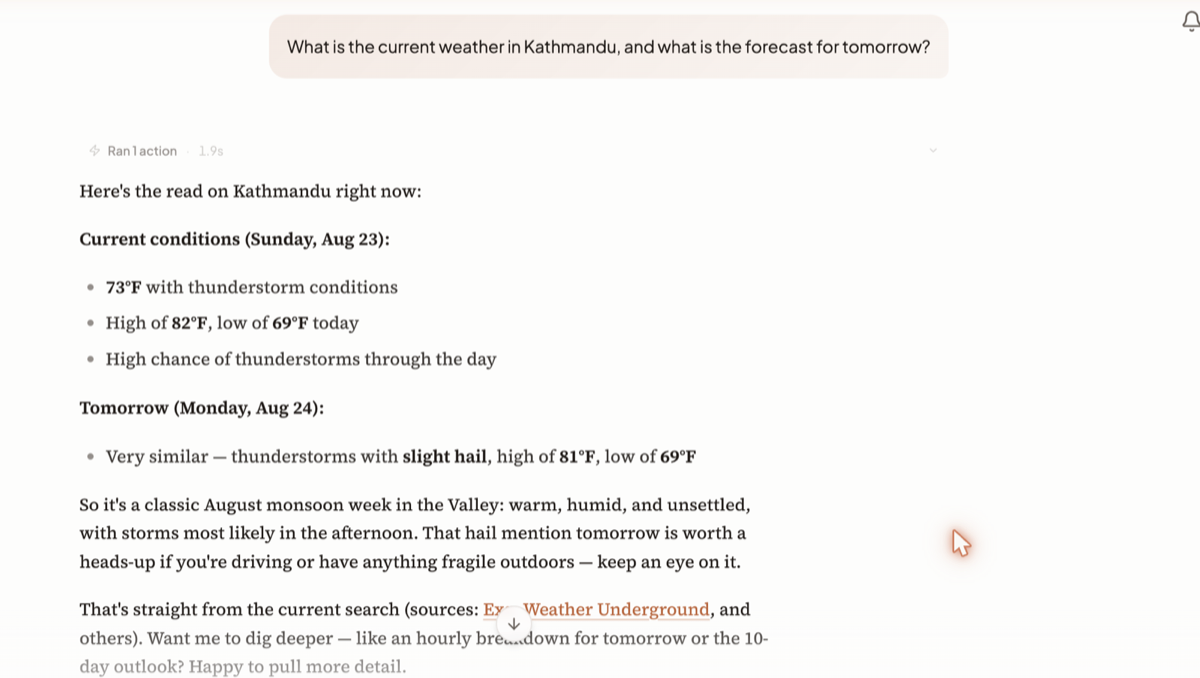
Underneath, a route chip names the models that actually ran, and a summary line tells you how many actions the turn took. Expand the activity block to see each search, each page read, and how long it took.
If retrieval over your own documents came back weak, the answer carries a badge saying so: "Retrieval confidence is low — the answer may not fully reflect your documents." Believe it. That badge means the answer leaned on the model rather than on your material.
How long it takes
Longer than a plain question — often much longer, because the turn is doing real reading. A turn is capped at 20 minutes overall; a Research turn is the one most likely to use a meaningful slice of that.
The step list and the activity block keep updating while it works, so you can watch which source it is on rather than staring at a blank reply.
When to use it, and when not to
| Use Research | Ask normally |
|---|---|
| "What changed in EU AI Act enforcement this quarter, with sources" | "Explain the EU AI Act in three paragraphs" |
| Comparing several vendors, products or papers | Rewriting text you already have |
| Anything you will forward to someone else as fact | Brainstorming, drafting, summarising an attachment |
| A question where a stale answer is worse than no answer | A question about your own documents alone |
For questions purely about material you have already uploaded, plain Auto is usually better: it already searches your contexts and meetings and does not pay for a web crawl you did not need.
Its limits
- It is per-message. There is no way to leave Research on for a whole conversation; you arm it each time you need it.
- It costs more, every time. A three-message back-and-forth in Research costs three research turns.
- It answers from what it could actually reach. Pages it cannot open do not appear in the citations, and the answer is built from the rest.
- A citation proves provenance, not truth. It tells you where the claim came from. Click through on anything that matters.
Related docs
Auto is the only mode. The model decides what to do at each step instead of a router classifying your message up front.
Saver, Balanced and Max are ready-made setups. Custom is the only one where your own model choices take effect.
Four ways to bring a context into a chat, how citations work, and how to tell when an answer is thin.