Marketplace
Browse recipes, contexts and assets other people have published — run them, duplicate them, equip them, or save them as favourites.
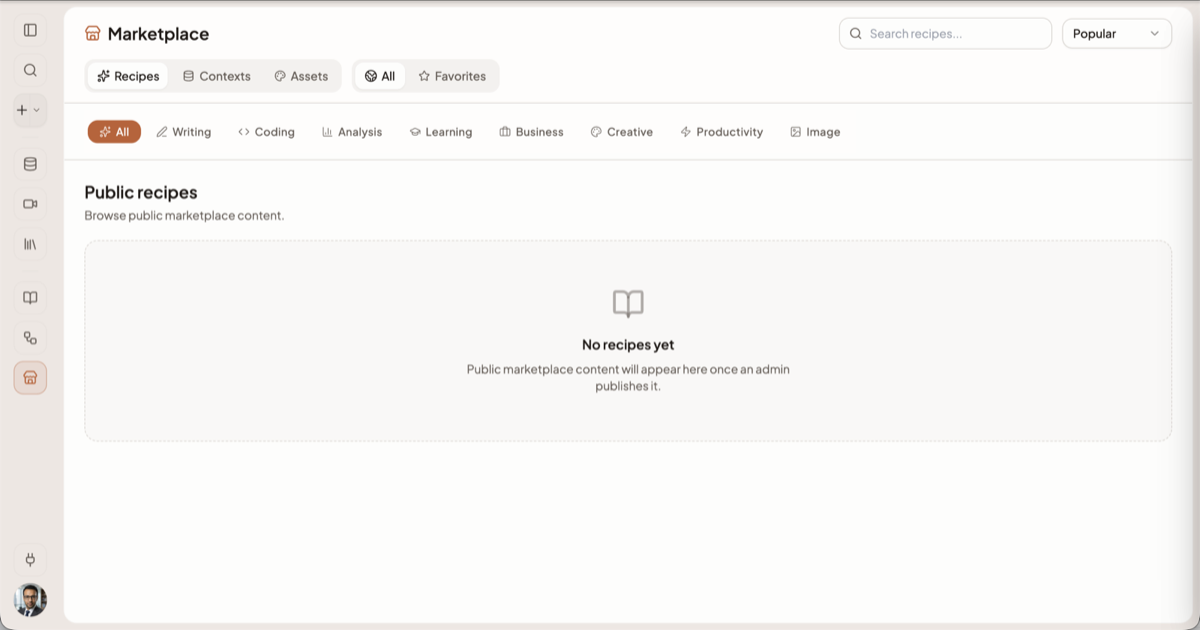
The Marketplace is where you find work other people have already done — a recipe that does the
job you were about to write a prompt for, a context full of reference material, or an asset to build
on. Open it from Marketplace in the sidebar. The older /discover and /explore addresses
redirect here.
The three tabs
| Tab | What it lists | What you can do |
|---|---|---|
| Recipes | Published and shared recipes | Run one in chat, or copy it into your own library |
| Contexts | Community knowledge bases | Equip one so you can ask questions of it |
| Assets | A curated public feed of artifacts | Open and view them |
Narrowing the list
- Scope sits next to the tabs on Recipes and Contexts. All is everything published; Favorites is only what you have starred. Members of an organisation get a third tab, Enterprise, listing what their organisation shares internally. The Assets tab never shows a scope toggle.
- Categories run along a scrolling pill bar below the tabs. Contexts use twelve: Development, Marketing, Design, Legal, Finance, Education, Science, Health, Business, Writing, Data & Analytics and Other. Clicking the selected pill again clears the filter.
- Search filters the current tab as you type, and there is a sort control alongside it.
Your filters are kept in the page address, so you can bookmark or share a filtered view.
What "installing" means
Installing works differently for each type, and neither kind copies files onto your machine.
Recipes
Use Recipe loads the recipe into the composer: you land back in chat with its inputs form and a launch card sitting above the composer, and nothing runs until you press Run recipe. The recipe stays the author's — you are running their copy.
To change something rather than only run it, take your own copy into your Recipes library first and edit the prompt, inputs and attached contexts there.
Recipes that drive connected apps are locked unless your plan includes that and you have credits; clicking one opens an upgrade prompt rather than failing silently.
Contexts
Equip adds someone else's public context to your own Add context picker, where it appears under Community. The button then reads Equipped, and clicking it again unequips. Equipping does not copy any documents to you — you are querying the owner's material, so it changes when they change it, and it disappears if they stop sharing.
Heads up: an owner can publish a context as read-only for sources. When they have, you can ask questions and get cited answers, but the Documents tab shows a notice instead of the files themselves.
Assets
The Assets tab is a curated public feed only — it is browse-and-open, with no install step. Your own generated assets are not here; they live in your Library.
Favourites
Every recipe and context card has a star. Starring is instant and gives you the Favorites scope as a personal shortlist. It is per-account and private — the author is not told, and it does not change anything about how the recipe or context behaves.
Publishing your own work
Publishing publicly is not self-serve. Setting a context or a recipe to public visibility is restricted to administrators; the app tells you so and points you at the alternatives:
- Share by link — an unlisted link that anyone holding it can open. The link carries a token you can regenerate at any time to cut off old copies.
- Share inside your organisation — enterprise or team visibility, if your account belongs to one.
See Sharing a context for the full set of options, and Recipes for how recipe sharing works.
Related docs
Save a prompt you keep retyping as a reusable recipe with fill-in-the-blank inputs, then run it from chat in two clicks.
A Context is a named, reusable folder of knowledge you can pull into any chat with its @handle.
Four independent settings decide who can open a context, see its documents, edit it, and comment on it.