Voice
Two different things — dictating a message, and holding a live spoken conversation that can run real tasks.
Springbase has two voice features and they do different jobs. Dictation turns speech into text in the composer, which you then edit and send like any other message. Live voice is a real spoken conversation — you talk, it talks back, and it can start real tasks in the chat while you keep speaking.
Dictating a message
The mic button sits on the composer and is always available.
- Click Start voice input. The button reads "Connecting…" for a moment.
- Speak. Your words appear in the draft as you go.
- Click Stop recording when you are done.
- Edit the draft and send it.
The transcript is inserted at a fixed point in the draft, so you can type around it while dictation is still running — text you had already written does not get shuffled or overwritten.
Holding a live conversation
The round waveform button beside Send starts a live session — "Start a real-time voice conversation with AI". If you have files staged it reads "Start voice chat with N attached files" and those files go into the session as context. While a session is running the button becomes a red square, End voice chat.
You are asked to consent before the first session, since it uses your microphone.
During a session you can:
- Mute and unmute your microphone.
- Share your screen.
- Cycle the captions display.
- Type text into the session instead of speaking it.
- Switch persona without hanging up.
Spoken tasks
A live conversation is not a separate assistant. When you ask for something that is real work — a build, a piece of research, a document — the voice model starts a task on the same Auto turn engine as the composer. It runs through the same route and lands in the same chat thread, with the same step panel, activity block and deliverable cards you would get from typing.
You can start a task, steer it, ask for its status, ask for the result, or cancel it, all by speaking. One task runs at a time; anything else you ask for queues and is promoted as each one finishes.
Approvals are stricter in voice than in typing. A typed turn can write to a connected app without asking at all. A spoken task asks before every external write — sending a message, posting to an app, changing a record. Reads still never ask. See Connected tools for what a connection allows.
Voice & persona
A persona is who the assistant is on a call: its voice, its language, how much it thinks before answering, and a set of instructions in your words.
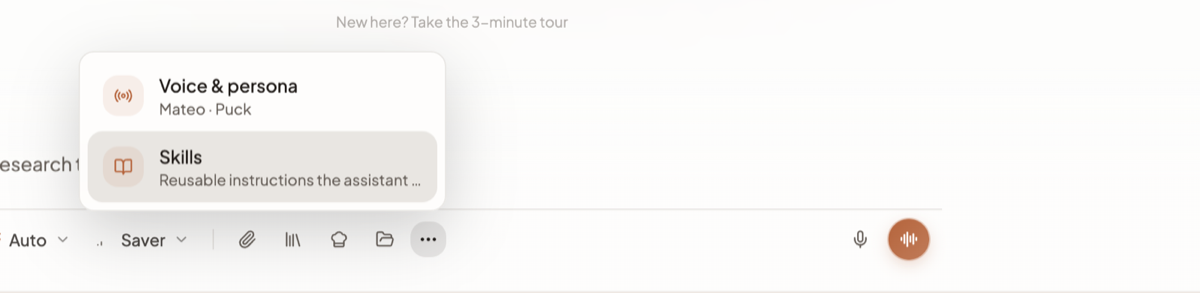
- Open More options (
…) on the composer. - Click Voice & persona. The row's subtitle shows the persona and voice you are currently on, or "Choose live conversation style" if you have not picked one.
- Browse or search the personas, and preview a voice before committing.
- Confirm. You can also save the persona as your default at the same time.
Each persona carries:
| Setting | Options |
|---|---|
| Voice | One of the live voices, each with a short description |
| Language | Picked from the supported list |
| Thinking | None, Low, Medium or High |
| Instructions | Written in markdown, shown cleaned up in the preview |
You can create, edit, duplicate and delete personas from the same modal. During a call, the quick switcher changes persona without ending the session.
Heads up: Voice & persona is disabled while a live session is running. Choose your persona before you start, or use the in-call quick switcher.
What live voice cannot do
- It cannot run two tasks at once. Ask for a second thing and it queues behind the first.
- It cannot start while a file is still uploading. The button is blocked with "Waiting for file uploads to finish…" until the upload settles.
- It will not perform an external write silently. Every one of them asks, which means a long chain of app actions is a conversation, not a single instruction.
- There is one live provider. Live voice runs on Gemini Live; there is no provider choice to make.
Limits worth knowing
- Dictation and live voice are separate. Starting dictation does not open a call, and a call does not fill the composer.
- Live voice sessions consume credits, like any other AI work — see Plans and credits.
- A persona shapes how the assistant sounds and behaves in the conversation. It does not change what a spoken task is allowed to do — the stricter voice approval rule still applies to every external write.