

Build it.
A page on its own address, a deck, a document, a spreadsheet. It writes the copy, makes the pictures, lays it out and checks its own work before it hands over.
Exports to PDF, DOCX, PPTXImages and video made to order
Claude, GPT, Gemini and more, working on your files, your meetings and your tasks in one workspace.
Free plan available · No credit card required
60 models from 23 providers. All included, always current.
What Springbase is for
A launch page. An investor deck. A brief your team can use. Give Springbase the goal. It works through the details and brings back the finished work.
Explore the work
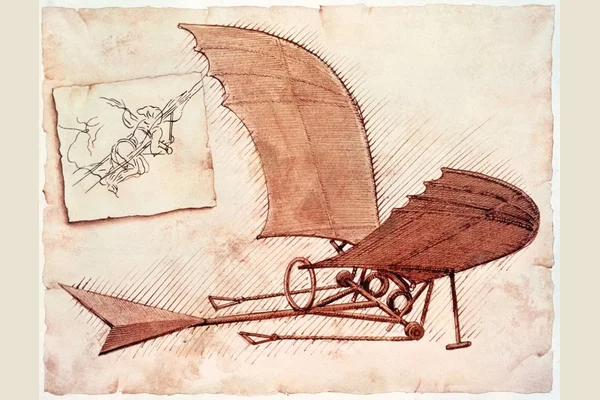
Leonardo’s flying machine brought to life in 3D. Set the wings in motion, explore the mechanism, and switch to blueprint view.
Open 3d experience ↗
A bakery’s identity, from its wordmark and colour palette to the way it speaks.
Open brand book ↗
A product story for a connected espresso scale, built into a published launch page.
Open launch page ↗

Ten slides that connect the product, market, business model, and investment story.
Open investor deck ↗
A working calculator that compares a salaried hire with the cost of a contractor.
Open interactive tool ↗
A practical buying guide with clear answers and links to its sources.
Open buyer’s guide ↗
An Australian meal-kit market brief covering competitors, pricing, and gaps in the evidence.
Open market brief ↗3D experience
Leonardo’s flying machine brought to life in 3D. Set the wings in motion, explore the mechanism, and switch to blueprint view.
What have you been meaning to make?
Start with your ideaMore than a chat box
One sentence in. The rest is its job. Three things a chat box does not do, shown the way you will see them.
A page on its own address, a deck, a document, a spreadsheet. It writes the copy, makes the pictures, lays it out and checks its own work before it hands over.
Your calls, your files, the chats you half remember, Drive and Notion kept in sync. It goes and looks first, then names the source down to the sentence.
 ZoomTeamsMac
The follow-up email, the CRM note, the ticket, the calendar hold. It picks up the app it needs and puts it down again, and it asks before anything leaves.
 Slack
Slack


 and hundreds more
Every model from every major lab, chosen for you per step. How the agents work
One request, followed through
A real request. A published launch page.
Six minutes, thirty-three seconds.
01The request
A smart espresso scale. Original product imagery. A $129 pre-order. A page to bring it all together.
“Dark, premium, photographic, no stock-photo look.”
“I'm launching Halden, a smart espresso scale for home baristas that auto-times shots and syncs to your phone. Build and publish the launch page: a hero with an original product shot, three feature sections each with their own image, pricing at $129 with a pre-order form, and a short FAQ. Dark, premium, photographic, no stock-photo look.”That was the whole instruction. Nothing was set up first.
02The making
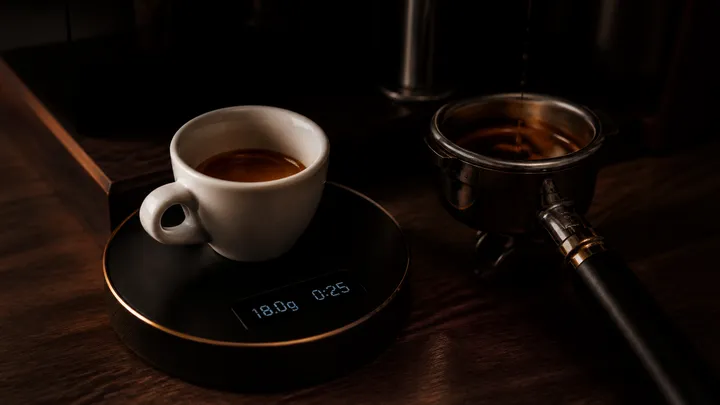
Four original product images. A connected pre-order form. Every section written and built around them.
The art direction, the build, and the checks—all from the same request.
Generated for this request. Select an image to explore.
03The delivery
The hero. Three feature sections. Pricing, pre-orders, and a short FAQ. Published to its own address.
Visit the live pageHanded over at 6:30. Run complete at 6:33.
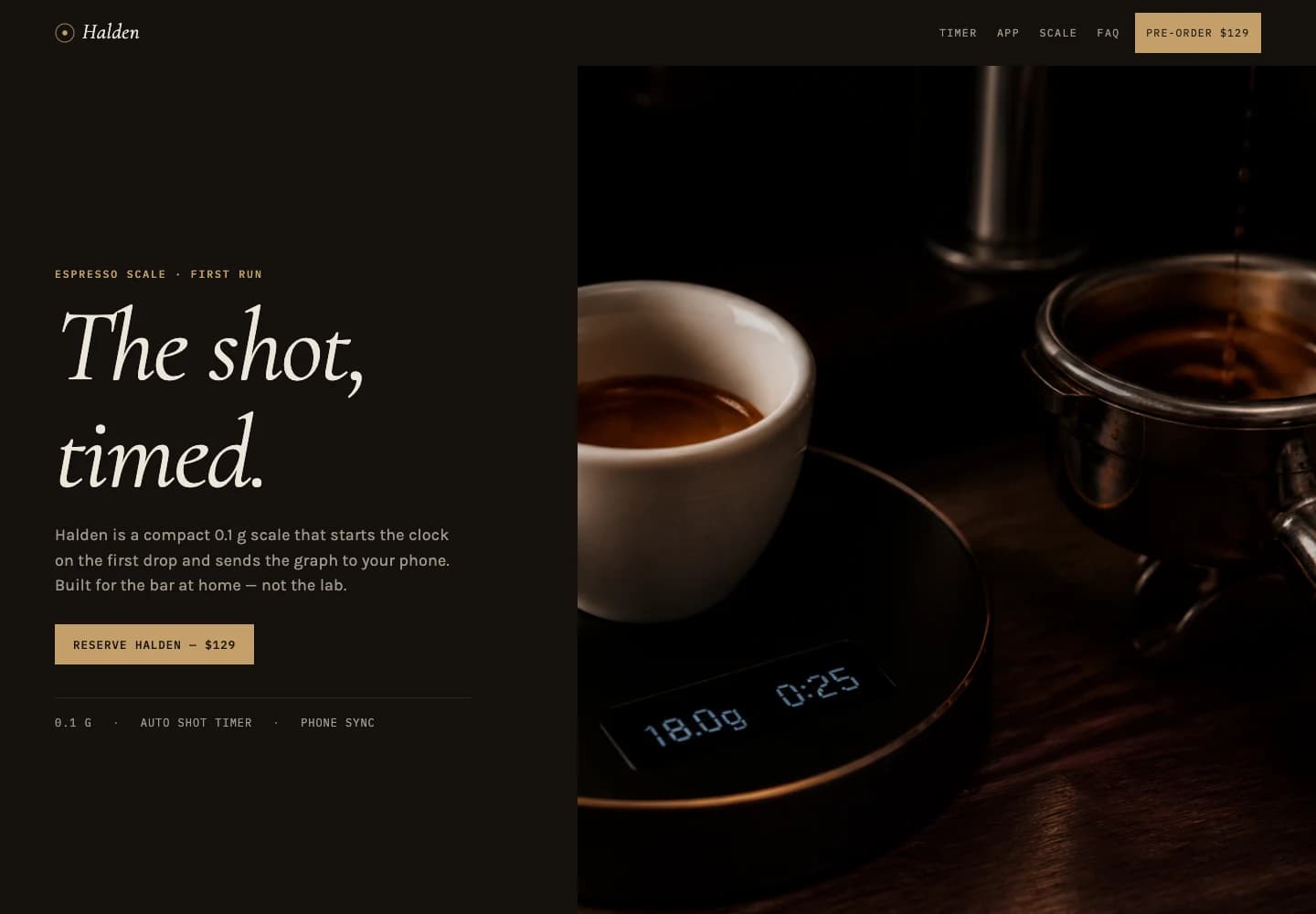
Selected milestones from the event log. Times are elapsed from the start of the launch-page request.
Made a five-item plan and consulted its landing-page guidance.
Set the art direction: “dark coffee-oil blacks, brass hardware — the scale shot like a Leica, not a SaaS hero.”
Started generating four original product images. They returned between 1:19 and 1:27.
Created a Typeform pre-order form and connected it to the page.
Built the launch page around the four images and the form.
Reviewed the page, adjusted the form’s height, and checked the project.
Handed over the published page at halden.springbase.site.
The run finished. Total usage: 126 credits.
A second request
Same brand. A new deliverable.
Ten slides, original imagery, exported to PowerPoint.


Your idea could be next.
Give it something to buildWhere the answer comes from
Most AI starts from nothing and answers from the open internet. This one starts from your side of the table.

Contracts, briefs, spreadsheets, research. It reads the one it needs at the moment it needs it, and names the file.
Northwind MSA.pdf · p. 4 · Term and renewal
It joins the call and takes the notes. With the desktop app it records the room. Ask what was decided three weeks ago and it can tell you.
“Let’s hold the price and revisit in January.” · Renewal call · 14:02
The thing you worked out a month ago, in a conversation you have half forgotten. It has not.
Pricing thread · 14 Aug · found by what was said
And when the answer genuinely isn’t on this desk, it goes and reads the web properly — full pages, PDFs and scans, not snippets — and tells you where every fact came from.
AI Agents
Springbase agents don't stop at answers — they research, draft, and take real actions across the apps and data you already use. Connect once, and let them get the work done.









Image generation
The world’s best image models, in one chat. Describe what you see and watch it appear — logos, posters, product shots, anything.
Video generation
Turn a single line into motion. The latest text-to-video and image-to-video models, ready the moment inspiration hits.
Video generation is available on the Max plan
Sign in, give Springbase a real goal, and watch it run the work and ship the result.
No credit card required
Repeat the work
When a job is worth doing again, save it as a recipe. It re-runs the same work on fresh material — on demand or on a schedule.
When this happens
New recording, transcript, loose promises, and half-written notes.
Recipe invokes
Client follow-up
Springbase ships
Recap, decisions, owner list, CRM update, and follow-up email.
When this happens
Dashboards, team threads, customer issues, and roadmap notes.
Recipe invokes
Leadership briefing
Springbase ships
Exec brief, risk register, decisions needed, and talking points.
When this happens
CRM history, old emails, call notes, and fresh company news.
Recipe invokes
Deal recovery
Springbase ships
Account summary, objection map, next-best action, and reactivation email.
When this happens
Product notes, competitor signals, customer quotes, and screenshots.
Recipe invokes
Launch room
Springbase ships
Launch brief, landing copy, visuals, and internal checklist.
Recipes turn one-off work into operating loops.
Get the job right once. Then wrap it in a recipe so the same work can run with new context, approvals, schedules, and inputs whenever the moment comes back.
Global possibilities. Local payments.
Upgrade with UPI or an Indian debit or credit card. Your plan, priced in rupees.
Find your planOne workspace.
A familiar way to pay.


Made for the way you work
Simple plans. Priced in your currency.
A little help. A lot more done.
Billed monthly
Your everyday work, transformed.
Billed monthly
More room for your biggest ideas.
Billed monthly
Just getting started? Try the free plan. No credit card required.
Model access and usage limits vary by plan. Compare all features ↗
Frequently asked
A few practical details about using Springbase.
Yes. Start with the free plan without a credit card. Upgrade when you need more credits or advanced features.
Free forever plan. No credit card. Upgrade when your workflows start compounding.