Kimi K2.5 Just Dropped — and it’s already living rent-free on springhub.ai
K2.5 is amazing when you need big context, deep reasoning, or multimodal workflows. But Springhub lets you choose the right model per task—so you can go cheap + fast for quick drafts, then go heavy for the “this has consequences” work.
The AI world got a spicy new toy this week: Moonshot AI’s Kimi K2.5 is out, and it’s the kind of release that makes your “current stack” suddenly feel… emotionally unstable.
This is a trillion-parameter-class model (yeah, trillion), built with a Mixture-of-Experts setup—so instead of firing every neuron every time, it selectively activates the specialists it needs. Think “giant brain,” but with a decent attention span and a budgeting spreadsheet.
The “Wait, it can do what?” highlights#
1) 256K context#
That’s “feed it a whole repo / long legal contract / giant research dump” territory. You can keep far more of your world in one prompt without playing the annoying “summarize → lose details → regret it later” loop.
2) Native multimodal#
Not “vision duct-taped on later.” It can work with text + images together in a more natural way—useful for anything from screenshot debugging to slide/pitch critique to UI analysis.
3) Multiple modes#
K2.5 isn’t just one vibe:
- Instant: fast responses, quick drafts, rapid Q&A
- Thinking: deeper reasoning for harder problems (coding, math, architecture)
- Agent: can operate like an autonomous assistant
- Swarm: coordinates lots of agents working in parallel (imagine a mini org chart of AIs)
Why this hits different on Springhub.ai#
K2.5 is powerful on its own—but on Springhub, you can actually ship work with it instead of just chatting and admiring the output.
Springhub isn’t “one model + one chat box.” It’s a platform where you can:
- Pick from 350+ models depending on the job
- Turn prompts into Recipes (reusable mini-apps)
- Run Agent Mode with connected tools
- Build Knowledge Bases so the AI answers using your docs and context
- Automate stuff with Scheduled Agents that run while you’re off doing human things like eating lunch
Real ways Springhub + K2.5 can help (use cases you’ll actually use)#
1) “Drop the whole repo in and tell me what’s wrong” engineering workflows#
Best when: you’re onboarding, refactoring, or debugging something gnarly.
What you do on Springhub:
- Create a Recipe: “Architecture Review + Refactor Plan”
- Upload repo snippets / docs / error logs (or connect tools in Agent Mode)
- Run K2.5 in Thinking mode
What you get:
- A prioritized list of issues
- Risky parts called out (security, performance, edge cases)
- A step-by-step refactor plan + suggested tests
- Optional: turn this into a repeatable “PR review assistant” recipe your whole team uses
2) Knowledge-base Q&A that doesn’t hallucinate your policies#
Best when: your team keeps asking the same questions (and everyone answers slightly differently).
What you do on Springhub:
- Upload internal docs into a Knowledge Base (handbook, SOPs, APIs, FAQs)
- Chat with K2.5 while “grounding” it in that knowledge
What you get:
- Consistent answers aligned with your docs
- Faster onboarding (“Ask the handbook, not Dave from Engineering”)
- A support assistant that actually respects your product rules
3) Autonomous “morning ops” agent that runs daily#
Best when: you want recurring work handled without becoming a human cron job.
What you do on Springhub:
- Build a scheduled Agent that runs every morning:
- checks inbox / tickets / Slack (via toolkits)
- summarizes what matters
- drafts replies
- creates a daily brief
What you get:
- A daily “here’s what needs attention” report
- Drafted responses ready for review
- A clean to-do list that doesn’t rely on your memory or caffeine levels
4) Multimodal: screenshot-to-solution debugging#
Best when: you’ve got UI bugs, build errors, analytics dashboards, or “why is this button cursed?” moments.
What you do on Springhub:
- Drop a screenshot (error, UI, layout, chart)
- Add quick context (“this happens on iOS Safari only”)
- Run K2.5
What you get:
- Likely causes + fixes
- CSS/layout suggestions, component-level diagnosis
- A “try these 3 things first” list instead of a 2-hour rabbit hole
5) Marketing/content pipelines you can actually reuse#
Best when: you want consistent output without rewriting prompts like it’s your second job.
What you do on Springhub:
- Build Recipes like:
- “SEO Blog from Outline”
- “Repurpose into LinkedIn + Twitter + Email”
- “Landing Page Copy + FAQs + CTA variants”
- Swap models per step (fast model for drafts, K2.5 Thinking for structure/logic)
What you get:
- A repeatable content engine
- Consistent tone, formatting, and quality
- Faster iteration (and fewer “why does this sound like a robot?” drafts)
6) Swarm mode for “parallel thinking” tasks#
Best when: you want multiple angles fast: strategy, research, planning, comparison.
What you do on Springhub:
- Run a swarm like:
- Agent 1: competitor research summary
- Agent 2: positioning + messaging
- Agent 3: pricing page critique
- Agent 4: objections + rebuttals
- Agent 5: launch plan checklist
What you get:
- A blended, structured output that feels like a mini team brainstormed it
- Less context switching, more decision-ready docs
The best part: you’re not locked into one model#
K2.5 is amazing when you need big context, deep reasoning, or multimodal workflows. But Springhub lets you choose the right model per task—so you can go cheap + fast for quick drafts, then go heavy for the “this has consequences” work.
That’s how you keep both quality and cost under control without sacrificing capability.
Want to try it?#
Kimi K2.5 is live on @springhub.
If you want, tell me what you do (dev, marketing, ops, founder life, student chaos, etc.) and I’ll suggest:
- 3 high-impact K2.5 workflows for your day-to-day
- A couple ready-to-copy Recipe templates (inputs, structure, and what to automate)
Related Posts
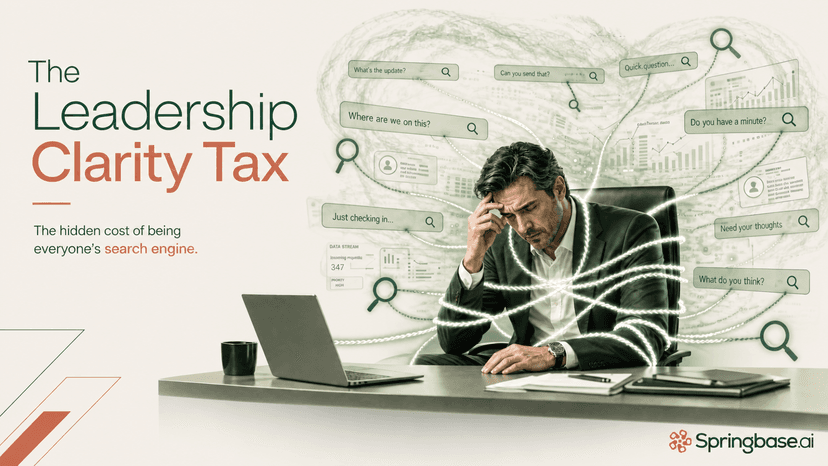
The Leadership Clarity Tax: Why Executives Become the Company’s Human Search Engine
When the most informed person in the room is also the only one who can assemble the story, clarity becomes expensive, and progress slows down.

Kimi K3 and the New Question for AI: What Can Your Business Actually Do With It?
A balanced, business-first look at Moonshot AI’s Kimi K3 launch, why its long-context and agentic capabilities matter, where the benchmark story needs caution, and how operating layers like Springbase turn frontier model power into usable work.

When the Machine Learns to Listen
AI is changing music not only by generating songs, but by widening the circle of who gets to make them, whose voices can be remembered, and how artists may shape sound in the years ahead.