AI Knowledge Base: How to Chat With Your Documents
Every team has knowledge scattered across documents, meeting notes, transcripts, and files, but finding the right answer at the right moment is still harder than it should be. An AI knowledge base helps teams chat with their documents, retrieve grounded answers, and turn existing company knowledge into faster, more reliable work.
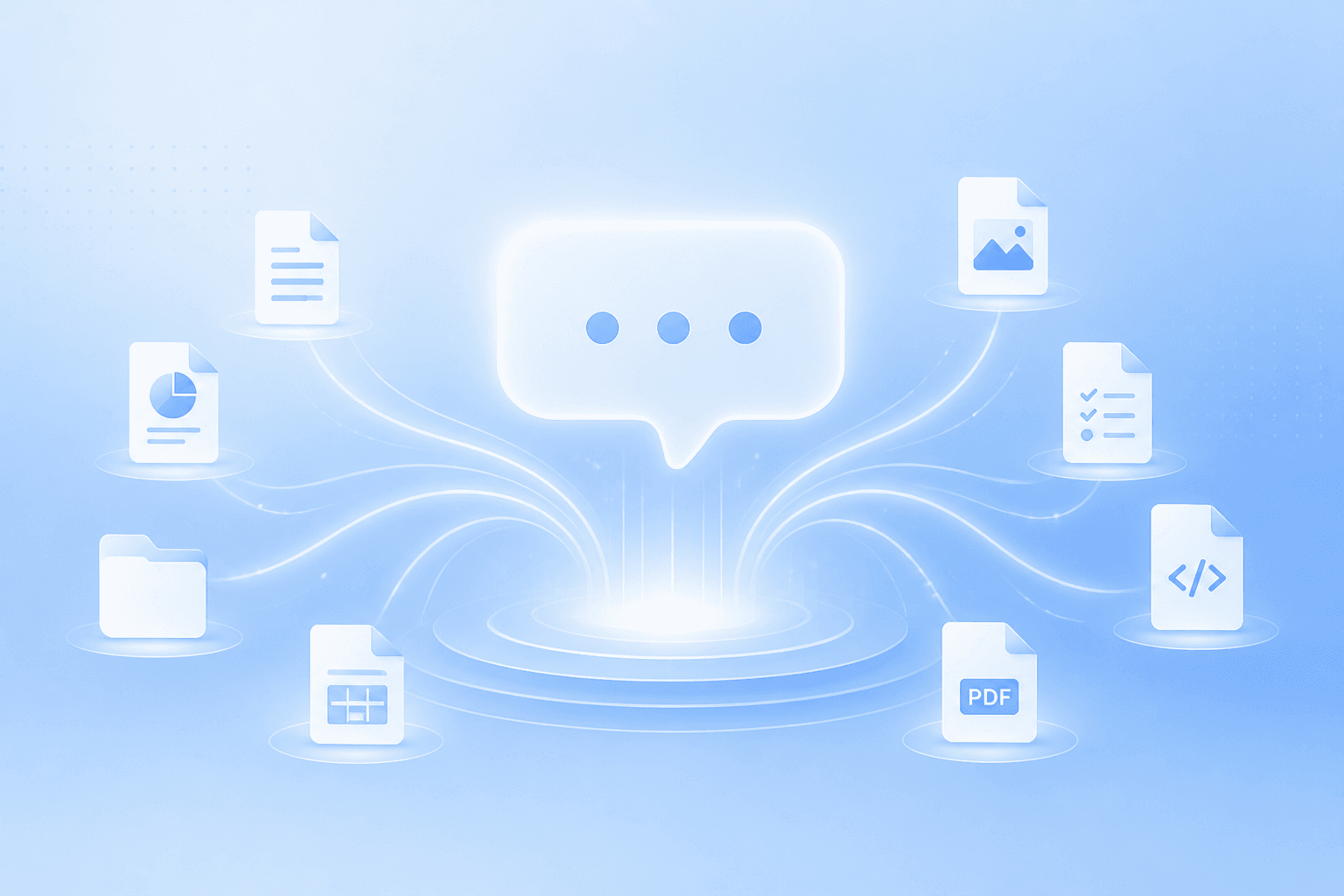
Every team has a version of this problem.
The answer exists somewhere. Everyone is pretty sure of that.
It might be in a client brief. Or a call transcript. Or an old product note. Or a sales doc that got copied three times and renamed twice. Maybe it is sitting in Google Drive, buried under a folder no one has opened since last quarter.
Then someone asks:
“What did we agree with this client?” “Where is the latest product positioning?” “Did we ever decide how this feature should work?” “What did the customer say on the last call?” “Which contract has the renewal language?”
Nobody is trying to waste time. But the work slows down anyway.
Someone searches Slack. Someone opens five tabs. Someone asks the person who “usually knows.” Someone finds a doc, but nobody is sure if it is the latest version.
This is where an AI knowledge base starts to matter.
Not because teams need another place to store documents. They already have plenty of those.
They need a better way to use the knowledge they already have.
An AI knowledge base lets your team chat with documents, ask questions in normal language, and get answers grounded in your own files, notes, meetings, and context. Instead of digging through everything manually, you can ask the question directly and move forward with more confidence.
That is the bigger shift Springbase is built around: company knowledge should not sit quietly in scattered docs, meetings, and files. It should help teams create useful outputs and finish real work.
What Is an AI Knowledge Base?#
An AI knowledge base is a conversational layer on top of your team’s information.
In simpler terms, it lets you ask questions across your own documents instead of hunting through them one by one.
That information might include:
- PDFs
- Markdown files
- TXT files
- Product docs
- Strategy notes
- Meeting transcripts
- Sales materials
- Legal documents
- Code files
- Client briefs
- Internal playbooks
Springbase supports knowledge bases built from uploaded documents, including PDFs, Markdown, TXT, and code files, so the AI can reference your own content in conversations.
Once those documents are inside a knowledge base, your team can ask questions like:
- What are the main takeaways from this research?
- What did this customer care about most?
- Which part of the contract mentions termination?
- What does our product documentation say about this feature?
- What decisions came out of the last meeting?
- What changed between these two versions?
- What should we include in the client report?
The point is not just faster search.
The point is better context.
A generic AI tool can give you a polished answer. But for team work, polish is not enough. You need the answer to come from the right material, reflect the right business context, and be easy to verify.
That is what makes an AI knowledge base different from a normal chatbot.
Why Chatting With Documents Feels So Different#
Most teams are used to keyword search.
Keyword search works when you know exactly what to type. If the document says “renewal terms” and you search “renewal terms,” you might find what you need.
But real questions are rarely that neat.
You may not know the file name. You may not remember the phrase someone used. You may only remember the idea.
For example, you might ask:
“Which customers mentioned onboarding friction last quarter?”
A traditional search might miss the answer if the actual notes say:
- “Setup felt confusing”
- “The team needed more guidance”
- “Implementation took longer than expected”
- “They struggled to get started”
An AI knowledge base can understand the meaning behind the question, not just the exact words.
That is where RAG AI, or retrieval augmented generation, becomes useful. Instead of relying only on a model’s general training, the system retrieves relevant information from your own knowledge base and uses it to generate a more grounded answer.
For a team, that changes the daily workflow.
A marketer can ask across campaign notes. A salesperson can review account history before a call. A customer success manager can find decisions from past QBRs. An engineer can ask questions about code or architecture notes. A founder can pull together context before an investor update.
The pattern is simple:
Ask a real question. Find the right context. Get a usable answer. Turn that answer into the next piece of work.
That last step matters. The goal is not to admire the answer. The goal is to keep work moving.
Uploading Files Is Not the Same as Building Knowledge#
Uploading one PDF into an AI chat can be helpful.
But it is still a one-off task.
A real AI knowledge base is different. It creates a shared place where the team can reuse knowledge again and again.
That distinction is important.
If one person uploads a document, asks a question, and gets an answer, that person saves time. Great.
But if the team organizes knowledge by client, project, department, workflow, or topic, the value becomes much bigger. Now the same context can support sales, marketing, operations, support, product, and leadership.
That is when AI starts to feel less like a personal assistant and more like part of the team’s operating system.
A useful AI knowledge base should help teams:
- Organize knowledge by team, topic, project, or client
- Ask natural language questions
- Get grounded answers from trusted sources
- Trace important answers back to source material
- Reuse context across workflows
- Keep meeting knowledge available after the call
- Support repeatable AI workflow automation
This is also why knowledge bases are so closely connected to AI agents and workflows.
An agent cannot do useful work if it does not know where the truth lives. A workflow cannot produce reliable output if someone has to paste context manually every time.
The stronger the knowledge layer, the better the workflow becomes.
Why Citations Matter#
If your team is using AI for real work, trust matters.
A good answer is helpful. A good answer with a source is much better.
When AI gives you an answer from your documents, you should be able to see where that answer came from. That lets your team verify the details, check the original source, and decide whether the answer is safe to use.
This matters most in work where small details can change the outcome, such as:
- Client reports
- Legal review
- Product documentation
- Internal research
- Sales enablement
- Customer support
- Strategy memos
- Executive summaries
Without citations, AI can sound confident but still leave people wondering, “Where did that come from?”
With citations, the answer becomes easier to trust.
Springbase’s knowledge base approach is designed around grounded answers and citations, so users can trace responses back to the source documents instead of treating AI output as a black box.
That is the difference between AI as a writing shortcut and AI as a reliable work layer.
Static Knowledge Bases vs Live Contexts#
Some knowledge does not change often.
Brand guidelines, legal templates, onboarding docs, research PDFs, code files, and internal playbooks are good examples. For these, a static knowledge base built from uploaded files can work well.
But a lot of business knowledge changes constantly.
Customer calls change. Sales notes change. Support issues change. Project timelines change. Product plans change. Meeting decisions change.
That is where live contexts become useful.
A live context connects to sources that can refresh automatically, so your AI is not limited to what was uploaded once and forgotten. In Springbase, live contexts can connect to sources like web URLs, RSS feeds, sitemaps, Slack, GitHub, and Notion, with scheduled crawling and change detection to keep information current.
The idea is simple: if the work is changing, the context should change too.
A static upload can answer what was true when the file was added.
A live context can help answer what is true now.
That matters for AI workflow automation.
If an AI agent is drafting a customer follow-up, it should use the latest call notes. If it is preparing a weekly leadership update, it should know what changed this week. If it is creating a client report, it should not rely on last month’s context unless that is the point.
Fresh context makes AI outputs more useful.
How Teams Can Use an AI Knowledge Base#
The best way to start is usually simple.
Do not try to “AI automate” the whole company on day one. Start where people already waste time looking for answers.
Here are a few common places to begin.
1. Company Wiki Q&A#
Internal wikis are useful, but they can become hard to navigate as the company grows.
An AI knowledge base lets employees ask direct questions across policies, onboarding docs, team processes, and internal guides.
Instead of asking, “Where is the doc?” people can ask, “How do we handle this?”
That small shift saves time and reduces repeat questions.
2. Product Documentation Search#
Product docs are often detailed, but not always easy to scan quickly.
Support, sales, success, and product teams can use an AI knowledge base to find feature details, setup steps, limitations, release notes, and edge cases faster.
This is especially helpful when the person asking does not know the exact name of the feature or the internal terminology.
3. Client and Project Knowledge#
Agencies, consultants, and professional services teams deal with a lot of client-specific context.
Briefs, call notes, campaign plans, feedback, reports, timelines, and strategy docs all add up quickly.
An AI knowledge base can help a team understand what has happened, what the client cares about, what is still unresolved, and what needs to happen next.
This is useful for onboarding new team members, preparing client updates, and creating better reports.
4. Sales Call Preparation#
Sales teams move faster when account context is easy to find.
Before a call, a rep can ask about past objections, meeting notes, stakeholder concerns, pricing discussions, technical requirements, and next steps.
That makes follow-ups more specific and reduces the amount of manual prep.
It also helps avoid the painful moment where a customer has to repeat something they already told the team.
5. Meeting Search#
Meetings create a lot of valuable knowledge, but most of it disappears after the call.
If meeting notes and transcripts are searchable, teams can find decisions, action items, open questions, objections, and commitments later.
Springbase’s product direction includes stronger support for using meetings and saved contexts across chat, plans, and Canvas, making it easier to reuse meeting knowledge while working.
That turns meetings from temporary conversations into reusable company context.
6. Codebase and Technical Q&A#
Engineering teams can use an AI knowledge base to ask questions about code files, architecture notes, implementation details, and technical decisions.
This can help with onboarding, debugging, refactoring, and understanding older systems.
It is not a replacement for engineering judgment. But it can reduce the time it takes to find the right starting point.
7. Legal and Contract Review#
Legal teams, operators, and founders often need to search across contracts and policy documents.
An AI knowledge base can help find clauses, compare terms, summarize obligations, and answer questions with source traceability.
For legal work, citations are especially important. The answer should point back to the relevant section so the team can verify it before acting.
From Knowledge Base to Workflow#
The real value of an AI knowledge base shows up when it connects to work.
A knowledge base helps you answer questions.
A workflow helps you do something with the answer.
For example:
A customer success team can find the latest account context, then generate a QBR draft.
A sales team can pull call notes and objections, then create a follow-up email.
A marketing team can gather brand guidelines, keyword notes, and past campaign data, then create a blog outline and draft.
An agency can combine client goals, meeting notes, and campaign metrics, then produce a polished client report.
This is why AI knowledge bases are not just a better search feature.
They are infrastructure for AI workflow automation.
Springbase’s product promise is built around turning team knowledge into finished business outputs, using a flow that includes Plan, Context, Models, Agents, Canvas, Recipes, and Meetings.
That matters because most teams do not need more isolated AI answers.
They need repeatable ways to turn context into work.
How to Start Building an AI Knowledge Base#
The best place to start is not “all our company knowledge.”
That is too broad.
Start with one workflow where missing context slows the team down.
For example:
- Sales call prep
- Client reporting
- Internal onboarding
- Product documentation
- Legal review
- Meeting search
- Engineering Q&A
- Customer support
Then gather the sources people already trust.
Do not start with every file you can find. Start with the docs people actually use, forward, copy from, summarize, or ask teammates about.
Next, write down the questions your team asks repeatedly.
These might be questions like:
- What did we decide?
- What are the open action items?
- What does this document say about pricing?
- What changed since the last version?
- What objections came up in the last call?
- What should go into the next report?
- What are the risks we need to mention?
Once you know the repeated questions, you can turn them into repeatable workflows.
That might mean a saved prompt. It might mean an AI recipe. It might mean an agent that runs on a schedule. It might mean a report template that pulls from current context.
This is how knowledge becomes leverage.
Not because the team has more documents, but because the team can use what it already knows.
What Makes a Good AI Knowledge Base?#
A good AI knowledge base is not just a folder with AI attached.
It should be practical.
It should help people get work done faster without making them trust AI blindly.
The best knowledge bases tend to have a few traits:
Grounded The answers come from your actual documents, notes, meetings, and files.
Searchable People can ask normal questions instead of remembering exact file names or phrases.
Traceable Important answers include citations or source references.
Organized Knowledge is grouped by team, topic, project, client, or workflow.
Fresh Fast-moving work can use , not only static uploads.
Connected The knowledge base supports workflows, agents, recipes, and outputs.
Reusable The same context can help more than one person and more than one process.
That last point is easy to underestimate.
The goal is not to make one AI chat smarter.
The goal is to make the whole team less dependent on memory, manual searching, and repeated explanations.
The Bigger Shift#
AI knowledge bases are becoming a foundation for how teams work.
At first, many teams used AI to write faster.
Then they used it to summarize long documents.
Now the opportunity is bigger.
Teams can connect documents, meetings, live sources, workflows, agents, and finished outputs into one working system.
That is when AI stops feeling like a side tool and starts feeling like part of the operating layer of the company.
Your team probably already has the knowledge it needs.
It is in the docs, calls, notes, files, and decisions you have already created.
The next step is making that knowledge easier to use.
That is what an AI knowledge base is really for.
Related Posts
The Leadership Clarity Tax: Why Executives Become the Company’s Human Search Engine
When the most informed person in the room is also the only one who can assemble the story, clarity becomes expensive, and progress slows down.
Kimi K3 and the New Question for AI: What Can Your Business Actually Do With It?
A balanced, business-first look at Moonshot AI’s Kimi K3 launch, why its long-context and agentic capabilities matter, where the benchmark story needs caution, and how operating layers like Springbase turn frontier model power into usable work.
When the Machine Learns to Listen
AI is changing music not only by generating songs, but by widening the circle of who gets to make them, whose voices can be remembered, and how artists may shape sound in the years ahead.